Test documentation #
The consultant gets the test script already loaded, runs each step, marks it OK or NOK and attaches the evidence. Hadex generates the cycle document (SIT/UAT), ready for sign-off. Nothing is retyped.
FOR SAGE X3 PROJECTS
SIT/UAT evidence, narrated video, guide, assessment and SCORM, ready before go-live.
Book a demoIn the project
The consultant gets the test script already loaded, runs each step, marks it OK or NOK and attaches the evidence. Hadex generates the cycle document (SIT/UAT), ready for sign-off. Nothing is retyped.
The same recording becomes a narrated video, a step-by-step guide, a guided SCORM simulation and a graded assessment, ready for the LMS before go-live.
What the project already has to do in order to test is what Hadex uses to train.
Demonstration scenario (ERP Demo). Fictitious data.
What you get
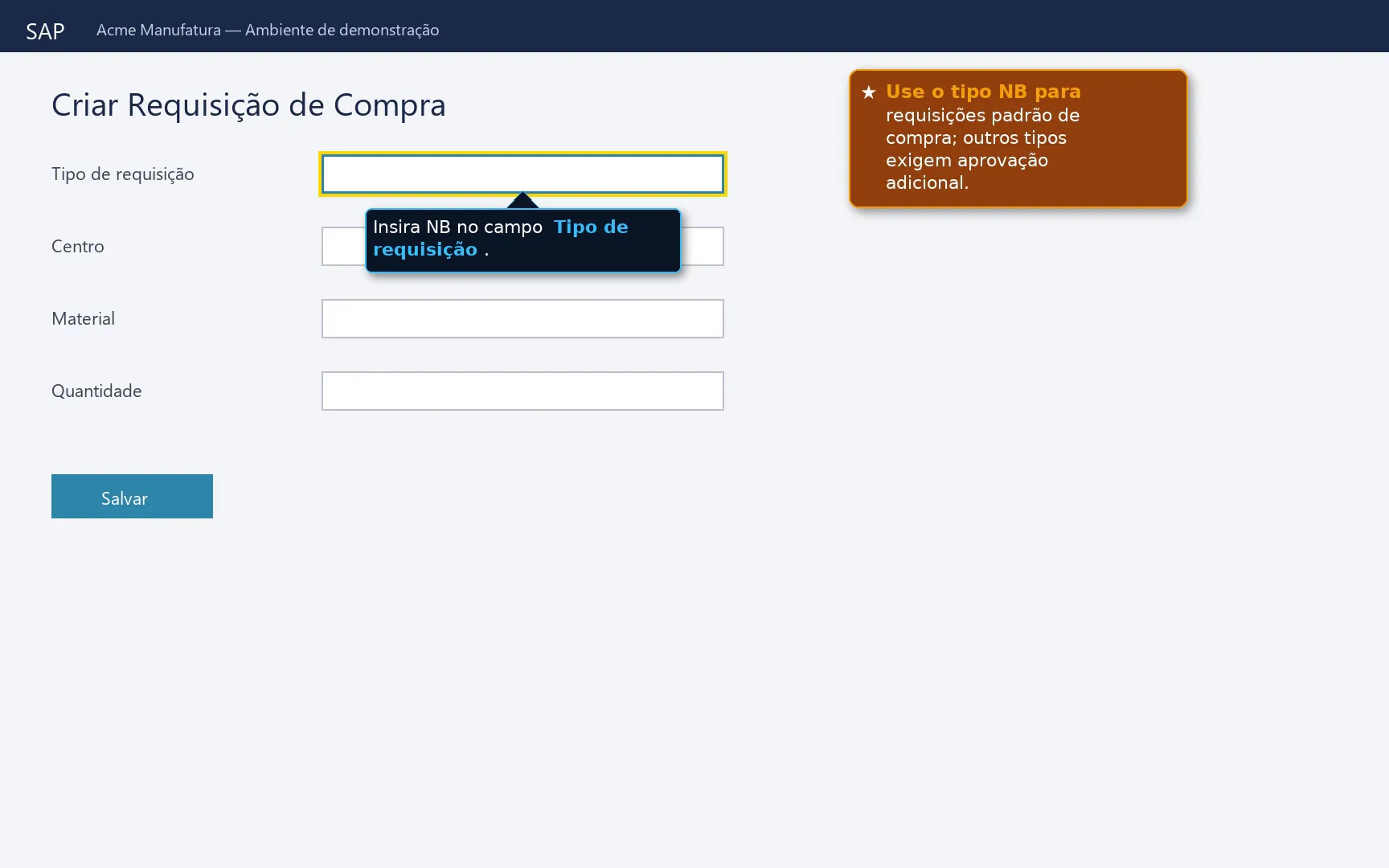
For users to watch before go-live and refer back to later, in the LMS or on the intranet.
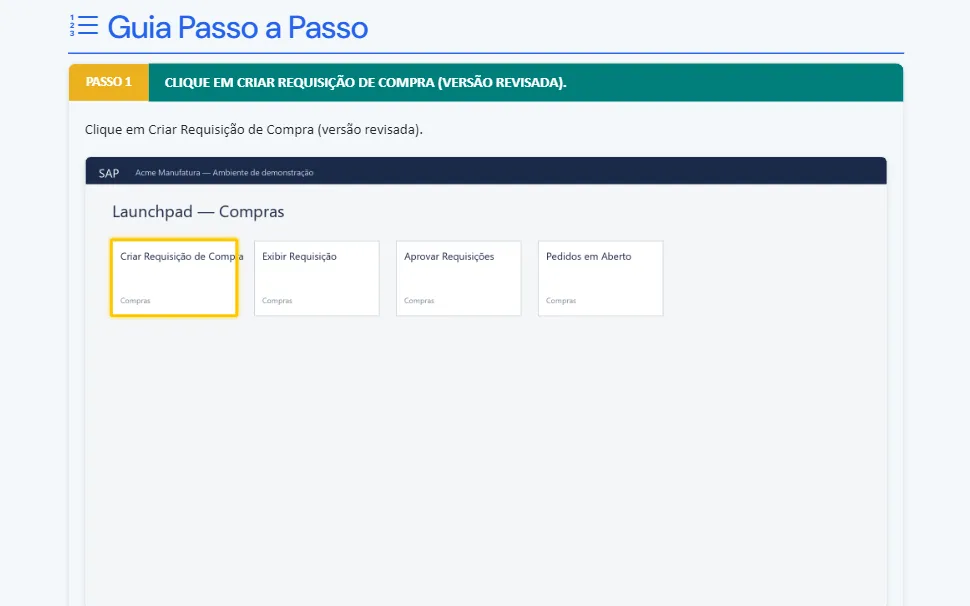
Step by step with the screens, for the user's desk and for the knowledge base.
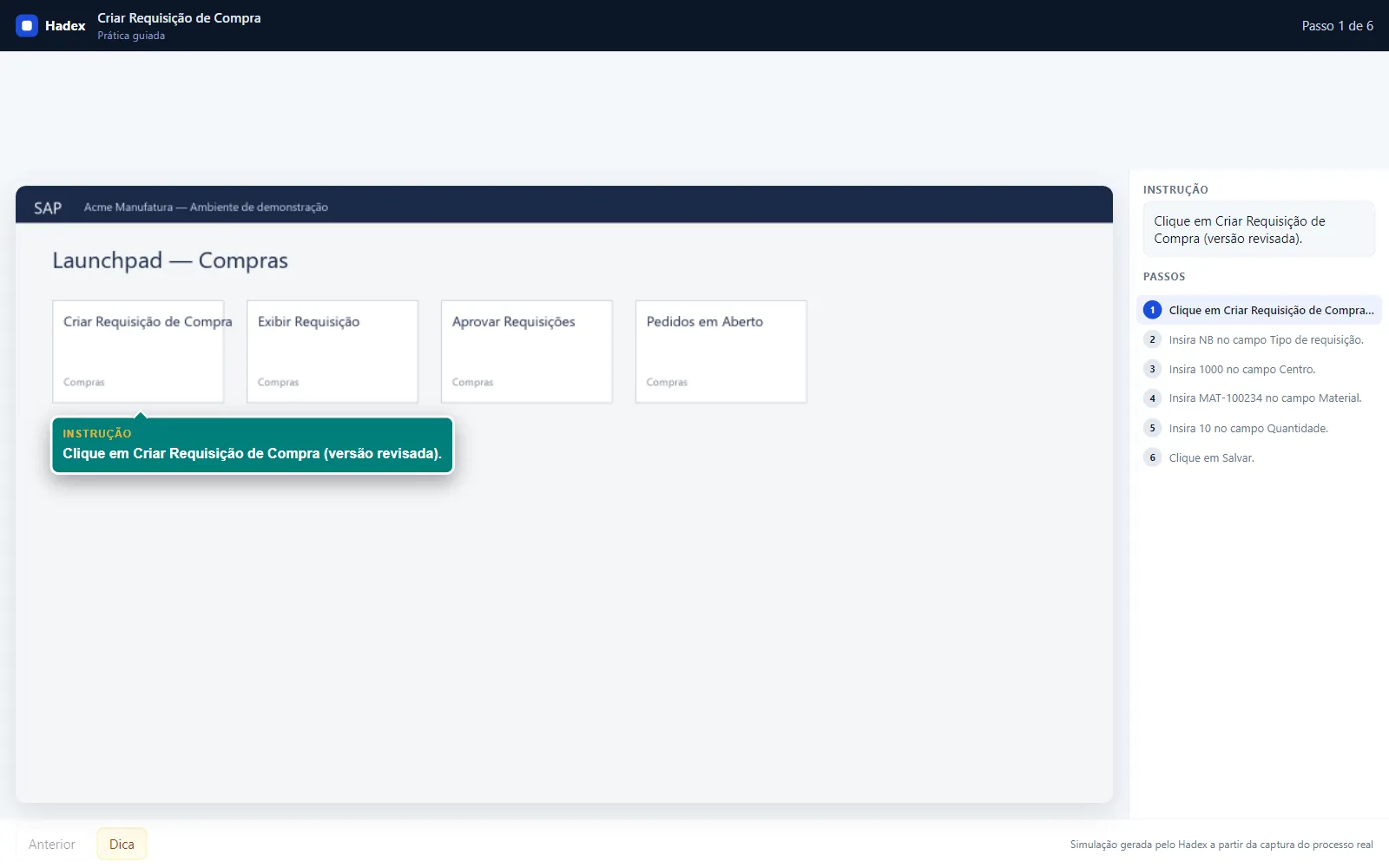
Published in your LMS: the user practices every action before entering the system.
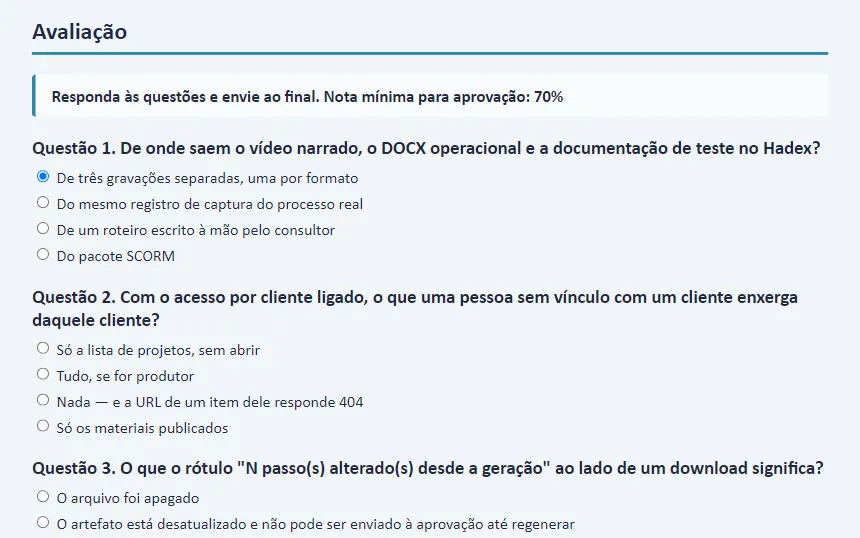
Graded, with feedback per question, to prove the training to the LMS and to auditors.
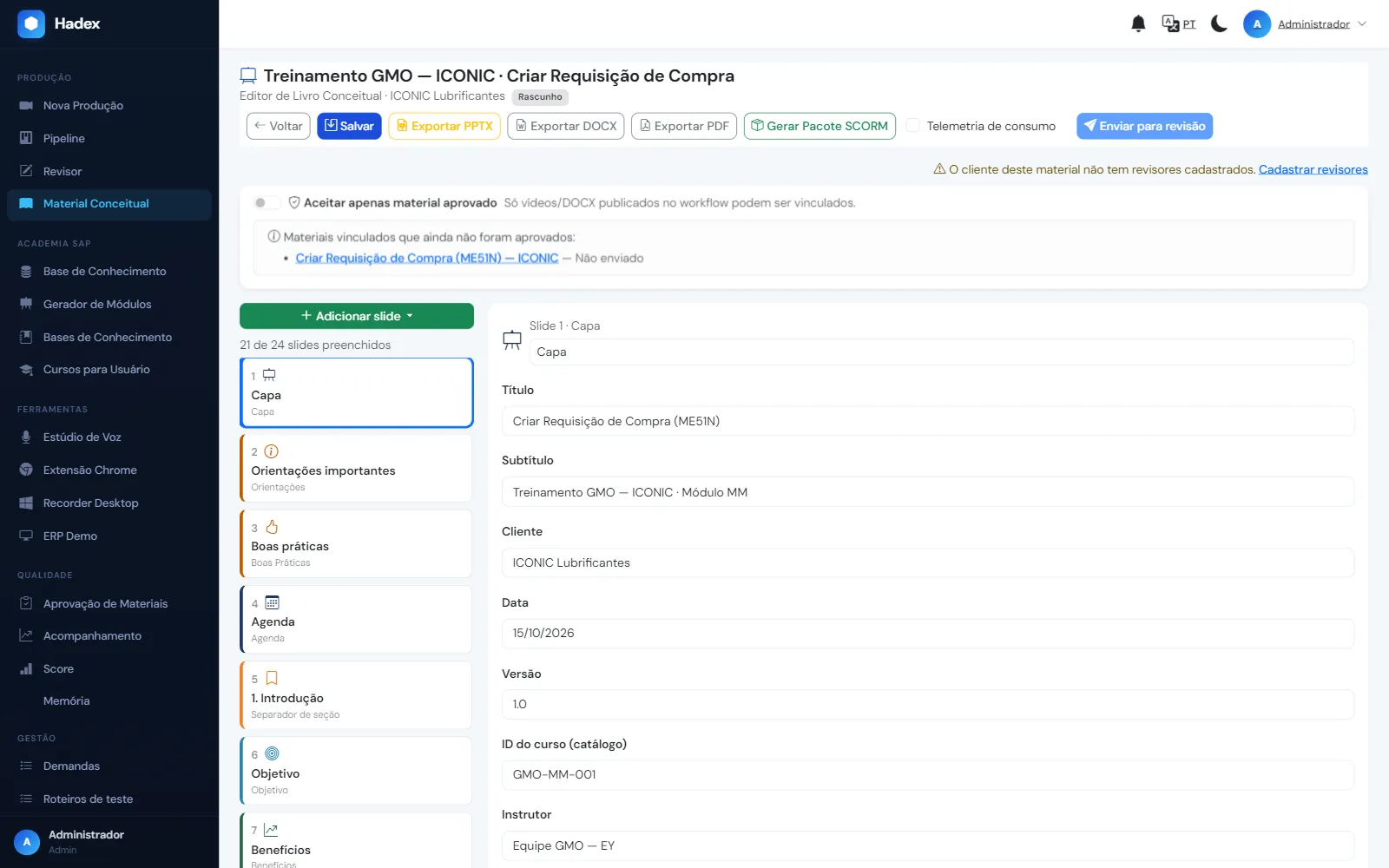
For the training room and for presenting the process to the business areas.
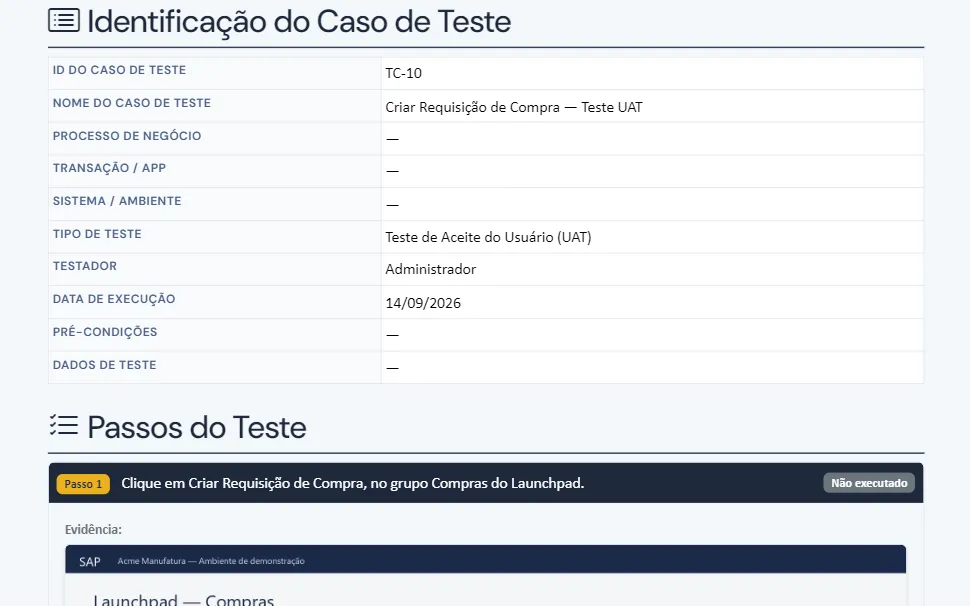
Executed test script with OK/NOK and evidence, ready for cycle sign-off.
How it works
Install the browser extension and run the process in Sage X3 as you normally would.
Hadex captures every step, screen and field, and drafts the text; the consultant reviews it.
The deliverables come out ready for the project and for the LMS.
Sage X3 runs in the browser; Hadex records through the extension, with nothing installed in the system.
Partnership
For Sage X3 projects, implementation and support are delivered in partnership with FOKUS Consulting.
Get in touch
FOKUS Consulting contact: [FOKUS CONTACT: name, e-mail]
FAQ
No. Hadex records through a browser extension on the machine of whoever runs the process; nothing is installed in Sage X3.
Yes. Hadex records wherever the consultant runs the process, whether in a test or a production environment.
Hadex is installed in your company's infrastructure: the recordings and the deliverables stay on your servers.
Every step performed, the OK or NOK status and the time-stamped evidence, ready for audit.